Gridded
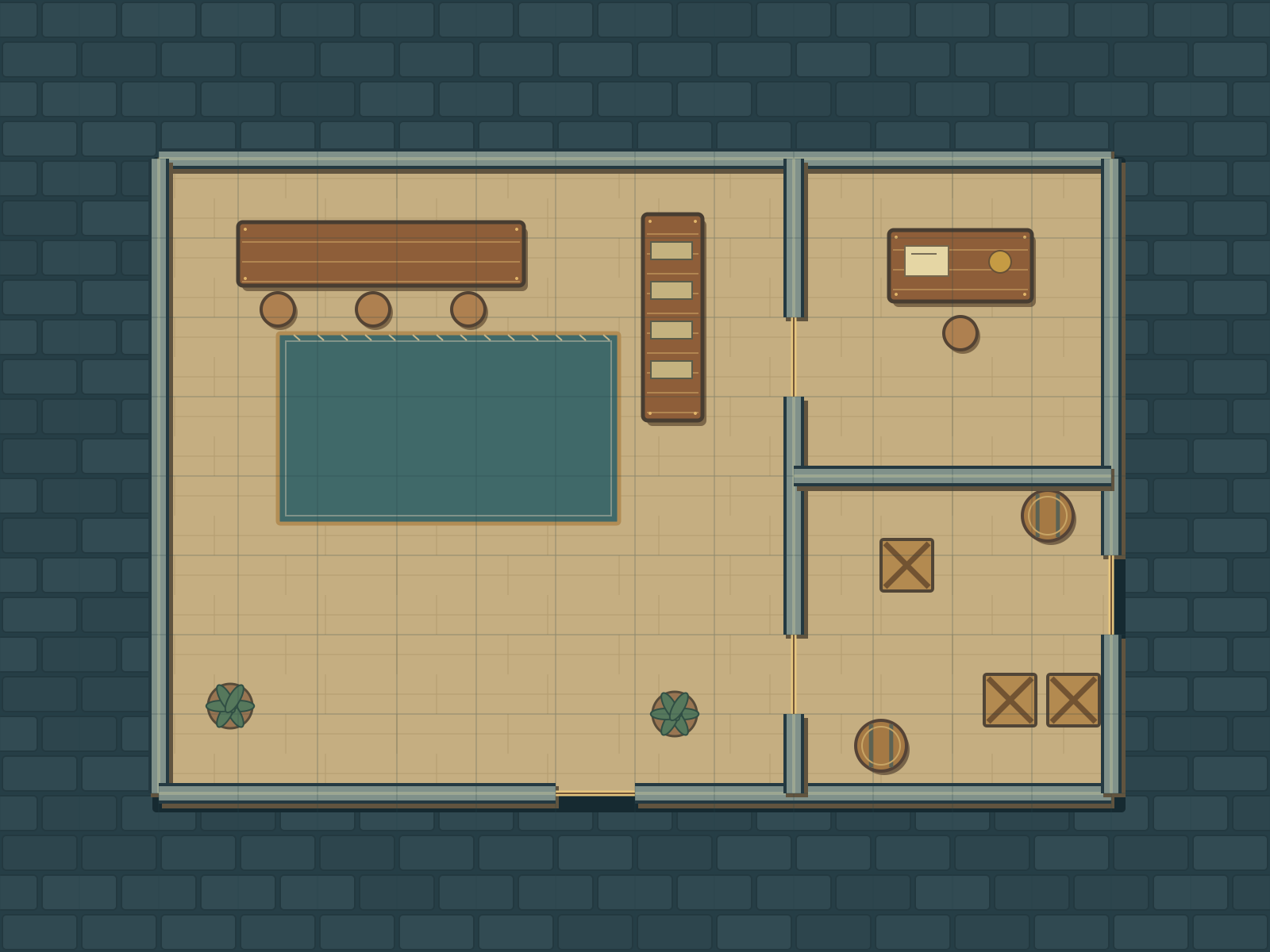
Use the grid drawn into the artwork. Hide your tabletop’s visible grid to avoid doubled lines.
Download gridded PNG tidyrocket.
BRASSWATER QUARTER / FREE MAP
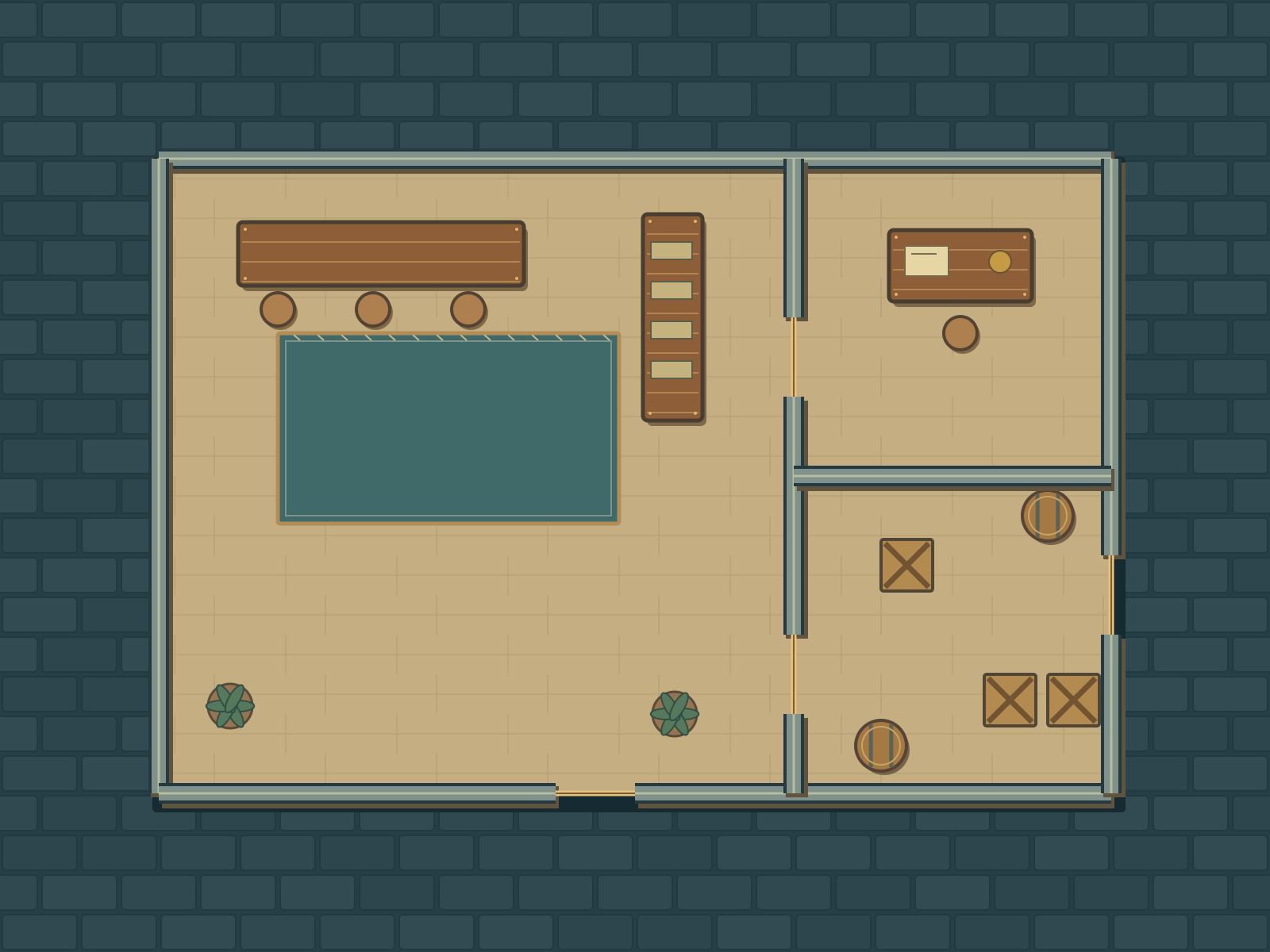
Meet The Ledger House: a compact tollhouse with a counting room, clerk’s office and cargo store. Set up a disputed shipment, a tense negotiation or your own encounter.
One location. Two matching PNGs. Gridded and gridless, with no signup or email required.
Download both maps ZIP · 125 KBIncludes two PNGs and a README with setup guidance and use terms.
YOUR DOWNLOAD
Use the grid drawn into the artwork. Hide your tabletop’s visible grid to avoid doubled lines.
Download gridded PNGUse your tabletop’s own grid, or keep the artwork clear for freeform play.
Download gridless PNGEach PNG: 1600 × 1200 pixels
Canvas: 16 × 12 squares
Native grid: 100 px per square
Optional scale: 5 feet per square.
The ZIP contains these two PNGs and a README with setup guidance and use terms. No GM key, editable source, other locations or VTT automation is included.
BEFORE YOUR SESSION
Thick stone bands are walls; thin brass lines across gaps are open thresholds. The dark paving is exterior ground. Floorboard seams are decorative. The 80 × 60 foot canvas at optional scale includes the border; the building’s outer wall centerlines span 12 × 8 squares.
This is AI-authored Python/SVG artwork, rendered as PNGs. The supplied pack passed digital QA. These files have not been imported into a live VTT, playtested or physically printed. Setup guidance is intended generic guidance, not verified app compatibility.
The offline clearance check used a 70 px square footprint, not a full 100 px token simulation. Check narrow passages with your own tabletop’s token and wall rules. No automated walls, lights, doors, tokens or rules are bundled.
To the extent Tidy Rocket can grant permission, you may download, print, use and modify these two Ledger House PNGs for personal, noncommercial tabletop games, including private online games. You may share them privately with participants in your game as needed to play; ask participants not to redistribute them. Please do not resell or republish the files, include them in a commercial product, or claim the artwork as your own. Attribution is appreciated but optional: The Ledger House — Tidy Rocket; AI-authored artwork. Paid GM sessions, public streams and commercial publishing need separate written permission. These AI-authored files are provided as-is. Live VTT compatibility, playability and physical print results have not been tested. No claim of exclusive copyright or third-party rights clearance is made.